Event Trigger
The Event Trigger Service Perform two basic operations:
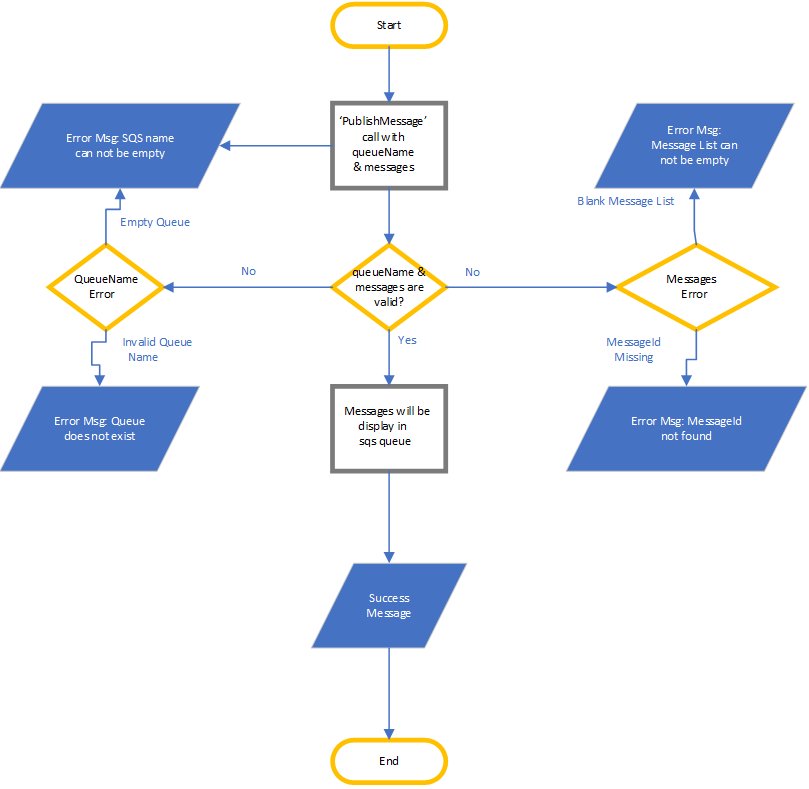
- Publish message(s) in SQS
- Fields ‘queuename’ and ‘messages’ will be the part of request and both fields are mandatory.
- Field ‘messages’ can have single message or multiple messages.
- If field ‘messages’ have multiple messages, then ‘messageId’ should be associated with each message.
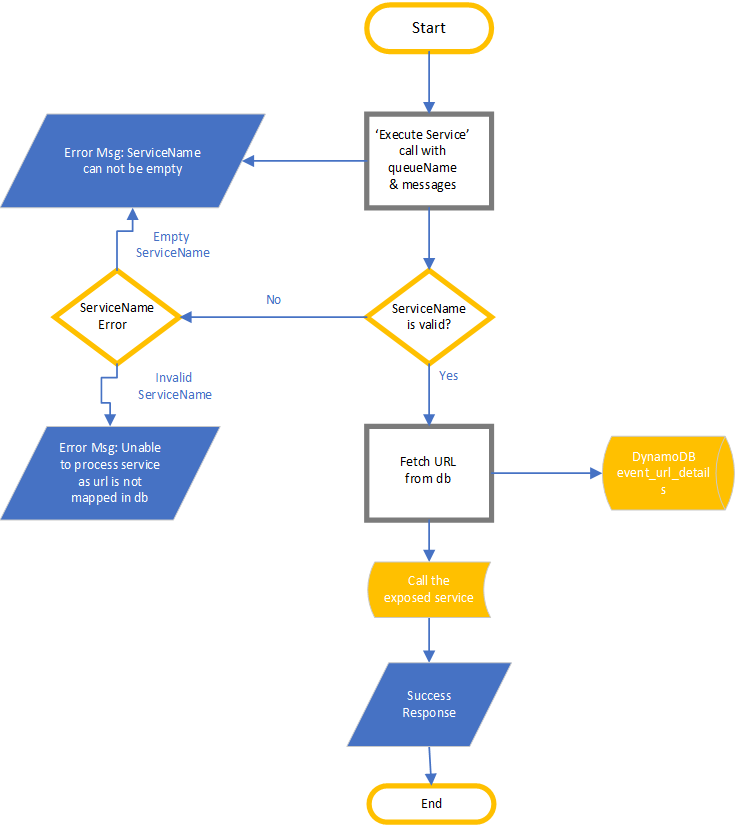
- Execute Service: Any service should be called from this service.
- ‘serviceName’ should be part of request and a mandatory field.
- If calling endpoint want some input, then this will also part of request body.
- If calling endpoint don’t want some input, then send blank json ({}) into request body.
- If response will not receive in waiting time(configurable), then return success message and not wait for response.
Purpose
The purpose of ‘Execute Service’ is:
- If issue comes in any connected service, then we can directly call that service
- If in file consumption few records show error, then hit the service by manually updating these records only.
- In the testing, any endpoint can be called directly from this service.
Business Flow
Execute Service Flow
Publish Message Flow